Tools & Integrations ↗
noOriginal Documentation
Documentation Index#
Fetch the complete documentation index at: https://docs.crewai.com/llms.txt Use this file to discover all available pages before exploring further.
Connect external apps and manage internal tools your agents can use.
Overview#
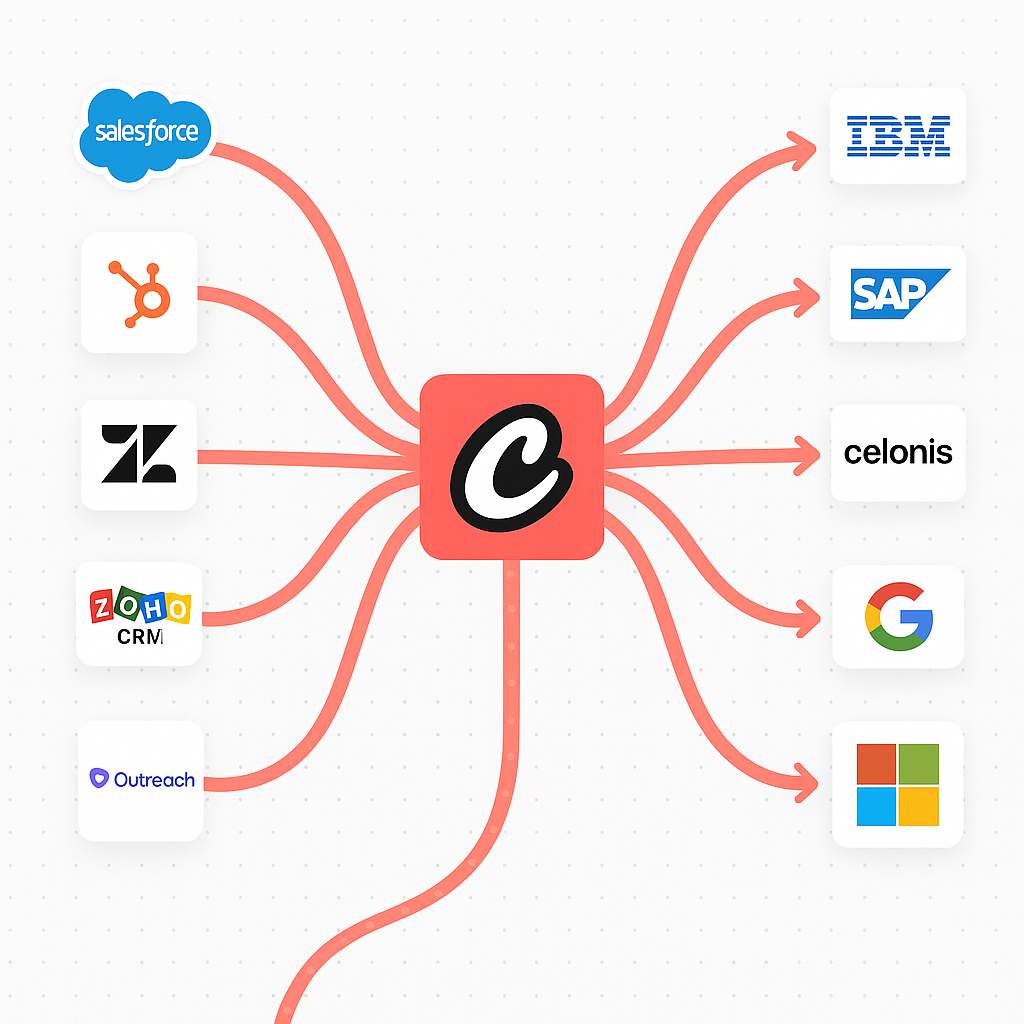
Tools & Integrations is the central hub for connecting third‑party apps and managing internal tools that your agents can use at runtime.
Explore#
Agent Apps (Integrations)#
Connect enterprise‑grade applications (e.g., Gmail, Google Drive, HubSpot, Slack) via OAuth to enable agent actions.
Click Connect on an app and complete OAuth.
Optionally adjust scopes, triggers, and action availability.
Connected services become available as tools for your agents.
<img src="https://mintcdn.com/crewai/Grq_Qb7_m8o-TQ5O/images/enterprise/agent-apps.png?fit=max&auto=format&n=Grq_Qb7_m8o-TQ5O&q=85&s=43abfc4eae390e308bed0b8e15238a54" alt="Integrations Grid" data-og-width="3648" width="3648" data-og-height="2266" height="2266" data-path="images/enterprise/agent-apps.png" data-optimize="true" data-opv="3" srcset="https://mintcdn.com/crewai/Grq_Qb7_m8o-TQ5O/images/enterprise/agent-apps.png?w=280&fit=max&auto=format&n=Grq_Qb7_m8o-TQ5O&q=85&s=e5e30bd3d904891d5c2c4d9d6182002a 280w, https://mintcdn.com/crewai/Grq_Qb7_m8o-TQ5O/images/enterprise/agent-apps.png?w=560&fit=max&auto=format&n=Grq_Qb7_m8o-TQ5O&q=85&s=a146a0d69ff2309e7eac8d2f07da1cba 560w, https://mintcdn.com/crewai/Grq_Qb7_m8o-TQ5O/images/enterprise/agent-apps.png?w=840&fit=max&auto=format&n=Grq_Qb7_m8o-TQ5O&q=85&s=c85a4a7ebe043fc6819957ff51f3ef0d 840w, https://mintcdn.com/crewai/Grq_Qb7_m8o-TQ5O/images/enterprise/agent-apps.png?w=1100&fit=max&auto=format&n=Grq_Qb7_m8o-TQ5O&q=85&s=4ea77f15a4fe2671267f7e3668615970 1100w, https://mintcdn.com/crewai/Grq_Qb7_m8o-TQ5O/images/enterprise/agent-apps.png?w=1650&fit=max&auto=format&n=Grq_Qb7_m8o-TQ5O&q=85&s=7835e5d197251834d83a6dd7c7813d0a 1650w, https://mintcdn.com/crewai/Grq_Qb7_m8o-TQ5O/images/enterprise/agent-apps.png?w=2500&fit=max&auto=format&n=Grq_Qb7_m8o-TQ5O&q=85&s=06cea3ae58b49b925566a7962585b148 2500w" />
Connect your Account#
Go to Integrations
Click Connect on the desired service
Complete the OAuth flow and grant scopes
Copy your Enterprise Token from Integration Settings
<img src="https://mintcdn.com/crewai/5SZbe87tsCWZY09V/images/enterprise/enterprise_action_auth_token.png?fit=max&auto=format&n=5SZbe87tsCWZY09V&q=85&s=4e7388bcb76f3f8aa6c6802dd0a98956" alt="Enterprise Token" data-og-width="2264" width="2264" data-og-height="540" height="540" data-path="images/enterprise/enterprise_action_auth_token.png" data-optimize="true" data-opv="3" srcset="https://mintcdn.com/crewai/5SZbe87tsCWZY09V/images/enterprise/enterprise_action_auth_token.png?w=280&fit=max&auto=format&n=5SZbe87tsCWZY09V&q=85&s=f3d1bd9cd9783d3e83f42ab6ee42d26c 280w, https://mintcdn.com/crewai/5SZbe87tsCWZY09V/images/enterprise/enterprise_action_auth_token.png?w=560&fit=max&auto=format&n=5SZbe87tsCWZY09V&q=85&s=df1514f746270a9ae5fc252c07806761 560w, https://mintcdn.com/crewai/5SZbe87tsCWZY09V/images/enterprise/enterprise_action_auth_token.png?w=840&fit=max&auto=format&n=5SZbe87tsCWZY09V&q=85&s=a16c5c7986003435afad4106ccbaa7c5 840w, https://mintcdn.com/crewai/5SZbe87tsCWZY09V/images/enterprise/enterprise_action_auth_token.png?w=1100&fit=max&auto=format&n=5SZbe87tsCWZY09V&q=85&s=81dabefb14a7f604a68c74eff26dff90 1100w, https://mintcdn.com/crewai/5SZbe87tsCWZY09V/images/enterprise/enterprise_action_auth_token.png?w=1650&fit=max&auto=format&n=5SZbe87tsCWZY09V&q=85&s=2833c9f202a291f2cf022026db261793 1650w, https://mintcdn.com/crewai/5SZbe87tsCWZY09V/images/enterprise/enterprise_action_auth_token.png?w=2500&fit=max&auto=format&n=5SZbe87tsCWZY09V&q=85&s=eeece6b187aebd0ec9e8af29d8bfc889 2500w" />
Install Integration Tools#
To use the integrations locally, you need to install the latest crewai-tools package.
    uv add crewai-tools
    ```

### Environment Variable Setup


<span class="callout-start" data-callout-type="note"></span>
  To use integrations with `Agent(apps=[])`, you must set the
  `CREWAI_PLATFORM_INTEGRATION_TOKEN` environment variable with your Enterprise
  Token.
<span class="callout-end"></span>

```bash
    export CREWAI_PLATFORM_INTEGRATION_TOKEN="your_enterprise_token"
    ```

Or add it to your `.env` file:
CREWAI_PLATFORM_INTEGRATION_TOKEN=your_enterprise_token
```
Usage Example#
Use the new streamlined approach to integrate enterprise apps. Simply specify the app and its actions directly in the Agent configuration.
    from crewai import Agent, Task, Crew

    # Create an agent with Gmail capabilities
    email_agent = Agent(
        role="Email Manager",
        goal="Manage and organize email communications",
        backstory="An AI assistant specialized in email management and communication.",
        apps=['gmail', 'gmail/send_email']  # Using canonical name 'gmail'
    )

    # Task to send an email
    email_task = Task(
        description="Draft and send a follow-up email to john@example.com about the project update",
        agent=email_agent,
        expected_output="Confirmation that email was sent successfully"
    )

    # Run the task
    crew = Crew(
        agents=[email_agent],
        tasks=[email_task]
    )

    # Run the crew
    crew.kickoff()
    ```

### Filtering Tools

```python
    from crewai import Agent, Task, Crew

    # Create agent with specific Gmail actions only
    gmail_agent = Agent(
        role="Gmail Manager",
        goal="Manage gmail communications and notifications",
        backstory="An AI assistant that helps coordinate gmail communications.",
        apps=['gmail/fetch_emails']  # Using canonical name with specific action
    )

    notification_task = Task(
        description="Find the email from john@example.com",
        agent=gmail_agent,
        expected_output="Email found from john@example.com"
    )

    crew = Crew(
        agents=[gmail_agent],
        tasks=[notification_task]
    )
    ```

On a deployed crew, you can specify which actions are available for each integration from the service settings page.


        <img src="https://mintcdn.com/crewai/Tp3HEbbp9mp-dy3H/images/enterprise/filtering_enterprise_action_tools.png?fit=max&auto=format&n=Tp3HEbbp9mp-dy3H&q=85&s=2e689397eabeacd23d0c226ff40566fd" alt="Filter Actions" data-og-width="3680" width="3680" data-og-height="2382" height="2382" data-path="images/enterprise/filtering_enterprise_action_tools.png" data-optimize="true" data-opv="3" srcset="https://mintcdn.com/crewai/Tp3HEbbp9mp-dy3H/images/enterprise/filtering_enterprise_action_tools.png?w=280&fit=max&auto=format&n=Tp3HEbbp9mp-dy3H&q=85&s=a6045a09da61d593e04098a4627777c9 280w, https://mintcdn.com/crewai/Tp3HEbbp9mp-dy3H/images/enterprise/filtering_enterprise_action_tools.png?w=560&fit=max&auto=format&n=Tp3HEbbp9mp-dy3H&q=85&s=257b1eea0bca2def5d43df960a4171ef 560w, https://mintcdn.com/crewai/Tp3HEbbp9mp-dy3H/images/enterprise/filtering_enterprise_action_tools.png?w=840&fit=max&auto=format&n=Tp3HEbbp9mp-dy3H&q=85&s=6b9b8686a4fec0c0cdd8c7aa9acd4695 840w, https://mintcdn.com/crewai/Tp3HEbbp9mp-dy3H/images/enterprise/filtering_enterprise_action_tools.png?w=1100&fit=max&auto=format&n=Tp3HEbbp9mp-dy3H&q=85&s=e16c10384300b96d4962e2847f6633bf 1100w, https://mintcdn.com/crewai/Tp3HEbbp9mp-dy3H/images/enterprise/filtering_enterprise_action_tools.png?w=1650&fit=max&auto=format&n=Tp3HEbbp9mp-dy3H&q=85&s=6de59b5409513b100c5cd36a69701e5f 1650w, https://mintcdn.com/crewai/Tp3HEbbp9mp-dy3H/images/enterprise/filtering_enterprise_action_tools.png?w=2500&fit=max&auto=format&n=Tp3HEbbp9mp-dy3H&q=85&s=32ed2ecc611c989e0fe9d8cb351740fa 2500w" />


### Scoped Deployments (multi‑user orgs)

You can scope each integration to a specific user. For example, a crew that connects to Google can use a specific user’s Gmail account.


<span class="callout-start" data-callout-type="tip"></span>Useful when different teams/users must keep data access separated.<span class="callout-end"></span>

Use the `user_bearer_token` to scope authentication to the requesting user. If the user isn’t logged in, the crew won’t use connected integrations. Otherwise it falls back to the default bearer token configured for the deployment.


    <img src="https://mintcdn.com/crewai/Tp3HEbbp9mp-dy3H/images/enterprise/user_bearer_token.png?fit=max&auto=format&n=Tp3HEbbp9mp-dy3H&q=85&s=d62aed15392f304cfc16bfa38ab91a54" alt="User Bearer Token" data-og-width="532" width="532" data-og-height="732" height="732" data-path="images/enterprise/user_bearer_token.png" data-optimize="true" data-opv="3" srcset="https://mintcdn.com/crewai/Tp3HEbbp9mp-dy3H/images/enterprise/user_bearer_token.png?w=280&fit=max&auto=format&n=Tp3HEbbp9mp-dy3H&q=85&s=efe731a753ab7efb10a65f648fba75a7 280w, https://mintcdn.com/crewai/Tp3HEbbp9mp-dy3H/images/enterprise/user_bearer_token.png?w=560&fit=max&auto=format&n=Tp3HEbbp9mp-dy3H&q=85&s=232d8d25cd253f071856f53425cc40c2 560w, https://mintcdn.com/crewai/Tp3HEbbp9mp-dy3H/images/enterprise/user_bearer_token.png?w=840&fit=max&auto=format&n=Tp3HEbbp9mp-dy3H&q=85&s=df7b4956ab7668c23380394d8ce0f6c1 840w, https://mintcdn.com/crewai/Tp3HEbbp9mp-dy3H/images/enterprise/user_bearer_token.png?w=1100&fit=max&auto=format&n=Tp3HEbbp9mp-dy3H&q=85&s=523850a6b69b5dd47ceaca3681f0ac35 1100w, https://mintcdn.com/crewai/Tp3HEbbp9mp-dy3H/images/enterprise/user_bearer_token.png?w=1650&fit=max&auto=format&n=Tp3HEbbp9mp-dy3H&q=85&s=561dcfa07461ecc8c39cd80865802d5e 1650w, https://mintcdn.com/crewai/Tp3HEbbp9mp-dy3H/images/enterprise/user_bearer_token.png?w=2500&fit=max&auto=format&n=Tp3HEbbp9mp-dy3H&q=85&s=06fbc44278b7d23fd2befd6b745622e7 2500w" />


### Catalog

#### Communication & Collaboration

* Gmail — Manage emails and drafts
* Slack — Workspace notifications and alerts
* Microsoft — Office 365 and Teams integration

#### Project Management

* Jira — Issue tracking and project management
* ClickUp — Task and productivity management
* Asana — Team task and project coordination
* Notion — Page and database management
* Linear — Software project and bug tracking
* GitHub — Repository and issue management

#### Customer Relationship Management

* Salesforce — CRM account and opportunity management
* HubSpot — Sales pipeline and contact management
* Zendesk — Customer support ticket management

#### Business & Finance

* Stripe — Payment processing and customer management
* Shopify — E‑commerce store and product management

#### Productivity & Storage

* Google Sheets — Spreadsheet data synchronization
* Google Calendar — Event and schedule management
* Box — File storage and document management

…and more to come!
  <span class="tab-end"></span>

  <span class="tab-start" data-tab-title="Internal Tools"></span>
## Internal Tools

Create custom tools locally, publish them on CrewAI AMP Tool Repository and use them in your agents.


<span class="callout-start" data-callout-type="tip"></span>
  Before running the commands below, make sure you log in to your CrewAI AMP
  account by running this command: `bash crewai login `
<span class="callout-end"></span>


        <img src="https://mintcdn.com/crewai/VGZ5vPOL3DPMThlg/images/enterprise/tools-integrations-internal.png?fit=max&auto=format&n=VGZ5vPOL3DPMThlg&q=85&s=b31a82341fb4dcd784c2ecfc1c3d576c" alt="Internal Tool Detail" data-og-width="3648" width="3648" data-og-height="2266" height="2266" data-path="images/enterprise/tools-integrations-internal.png" data-optimize="true" data-opv="3" srcset="https://mintcdn.com/crewai/VGZ5vPOL3DPMThlg/images/enterprise/tools-integrations-internal.png?w=280&fit=max&auto=format&n=VGZ5vPOL3DPMThlg&q=85&s=4b7ea6075327365b2486b405db715126 280w, https://mintcdn.com/crewai/VGZ5vPOL3DPMThlg/images/enterprise/tools-integrations-internal.png?w=560&fit=max&auto=format&n=VGZ5vPOL3DPMThlg&q=85&s=857f73fdff530aa6c7d801267e3cbc8a 560w, https://mintcdn.com/crewai/VGZ5vPOL3DPMThlg/images/enterprise/tools-integrations-internal.png?w=840&fit=max&auto=format&n=VGZ5vPOL3DPMThlg&q=85&s=2e844aa05d5c5367f9f8c14deeb78ad7 840w, https://mintcdn.com/crewai/VGZ5vPOL3DPMThlg/images/enterprise/tools-integrations-internal.png?w=1100&fit=max&auto=format&n=VGZ5vPOL3DPMThlg&q=85&s=fd26df60df1b528fc1644e08289738da 1100w, https://mintcdn.com/crewai/VGZ5vPOL3DPMThlg/images/enterprise/tools-integrations-internal.png?w=1650&fit=max&auto=format&n=VGZ5vPOL3DPMThlg&q=85&s=11d2cd7d7e38cb9cfeed2e23c4e3fe87 1650w, https://mintcdn.com/crewai/VGZ5vPOL3DPMThlg/images/enterprise/tools-integrations-internal.png?w=2500&fit=max&auto=format&n=VGZ5vPOL3DPMThlg&q=85&s=cba0837b7f2039f9c59cdafb81cc53b9 2500w" />


<span class="steps-start"></span>
  <span class="step-marker" data-step-title="Create"></span>
    Create a new tool locally. `bash crewai tool create your-tool `
  <span class="step-end"></span>

  <span class="step-marker" data-step-title="Publish"></span>
    Publish the tool to the CrewAI AMP Tool Repository. `bash crewai tool
        publish `
  <span class="step-end"></span>

  <span class="step-marker" data-step-title="Install"></span>
    Install the tool from the CrewAI AMP Tool Repository. `bash crewai tool
        install your-tool `
  <span class="step-end"></span>
<span class="steps-end"></span>

Manage:

* Name and description
* Visibility (Private / Public)
* Required environment variables
* Version history and downloads
* Team and role access


    <img src="https://mintcdn.com/crewai/VGZ5vPOL3DPMThlg/images/enterprise/tool-configs.png?fit=max&auto=format&n=VGZ5vPOL3DPMThlg&q=85&s=1896ebecec784bc15411a0309a0cf973" alt="Internal Tool Detail" data-og-width="3648" width="3648" data-og-height="2266" height="2266" data-path="images/enterprise/tool-configs.png" data-optimize="true" data-opv="3" srcset="https://mintcdn.com/crewai/VGZ5vPOL3DPMThlg/images/enterprise/tool-configs.png?w=280&fit=max&auto=format&n=VGZ5vPOL3DPMThlg&q=85&s=fa0c14f9439ebad25474aa422f8b1bd7 280w, https://mintcdn.com/crewai/VGZ5vPOL3DPMThlg/images/enterprise/tool-configs.png?w=560&fit=max&auto=format&n=VGZ5vPOL3DPMThlg&q=85&s=d135d69d85a0ccb8d99403def21c8529 560w, https://mintcdn.com/crewai/VGZ5vPOL3DPMThlg/images/enterprise/tool-configs.png?w=840&fit=max&auto=format&n=VGZ5vPOL3DPMThlg&q=85&s=f65ac1de79956f4178a610be29c6e212 840w, https://mintcdn.com/crewai/VGZ5vPOL3DPMThlg/images/enterprise/tool-configs.png?w=1100&fit=max&auto=format&n=VGZ5vPOL3DPMThlg&q=85&s=3b13a8181819dbf6b07ed52f239f588a 1100w, https://mintcdn.com/crewai/VGZ5vPOL3DPMThlg/images/enterprise/tool-configs.png?w=1650&fit=max&auto=format&n=VGZ5vPOL3DPMThlg&q=85&s=0dc0e377941d126e06fa76cb176b70e2 1650w, https://mintcdn.com/crewai/VGZ5vPOL3DPMThlg/images/enterprise/tool-configs.png?w=2500&fit=max&auto=format&n=VGZ5vPOL3DPMThlg&q=85&s=53bf0fa4215eb47d5959d1c46a232db1 2500w" />
  <span class="tab-end"></span>
<span class="tab-group-end"></span>

## Related

<span class="card-group-start" data-cols="2"></span>
  <span class="card-start" data-card-title="Tool Repository" data-card-href="/en/enterprise/guides/tool-repository#tool-repository"></span>
Create, publish, and version custom tools for your organization.
  <span class="card-end"></span>

  <span class="card-start" data-card-title="Webhook Automation" data-card-href="/en/enterprise/guides/webhook-automation"></span>
Automate workflows and integrate with external platforms and services.
  <span class="card-end"></span>
<span class="card-group-end"></span>