CrewAI AMP ↗
yesEditorial Notes
CrewAI AMP (Agent Management Platform) is a concrete example of what “enterprise AI agents” looks like in practice — a platform where you deploy, monitor, and scale AI agent workflows without managing infrastructure yourself. For product leaders, this page demonstrates the emerging category of agent platforms: instead of building agent infrastructure from scratch, you can use a managed platform that handles deployment, monitoring, and scaling. Pay attention to the enterprise features like SSO, RBAC, and audit trails — these are the capabilities your security and compliance teams will require. Compare this managed approach with building directly on provider APIs (Anthropic, OpenAI) to understand the build-vs-platform tradeoff for agent deployment.
Original Documentation
Documentation Index#
Fetch the complete documentation index at: https://docs.crewai.com/llms.txt Use this file to discover all available pages before exploring further.
Deploy, monitor, and scale your AI agent workflows
Introduction#
CrewAI AMP(Agent Management Platform) provides a platform for deploying, monitoring, and scaling your crews and agents in a production environment.
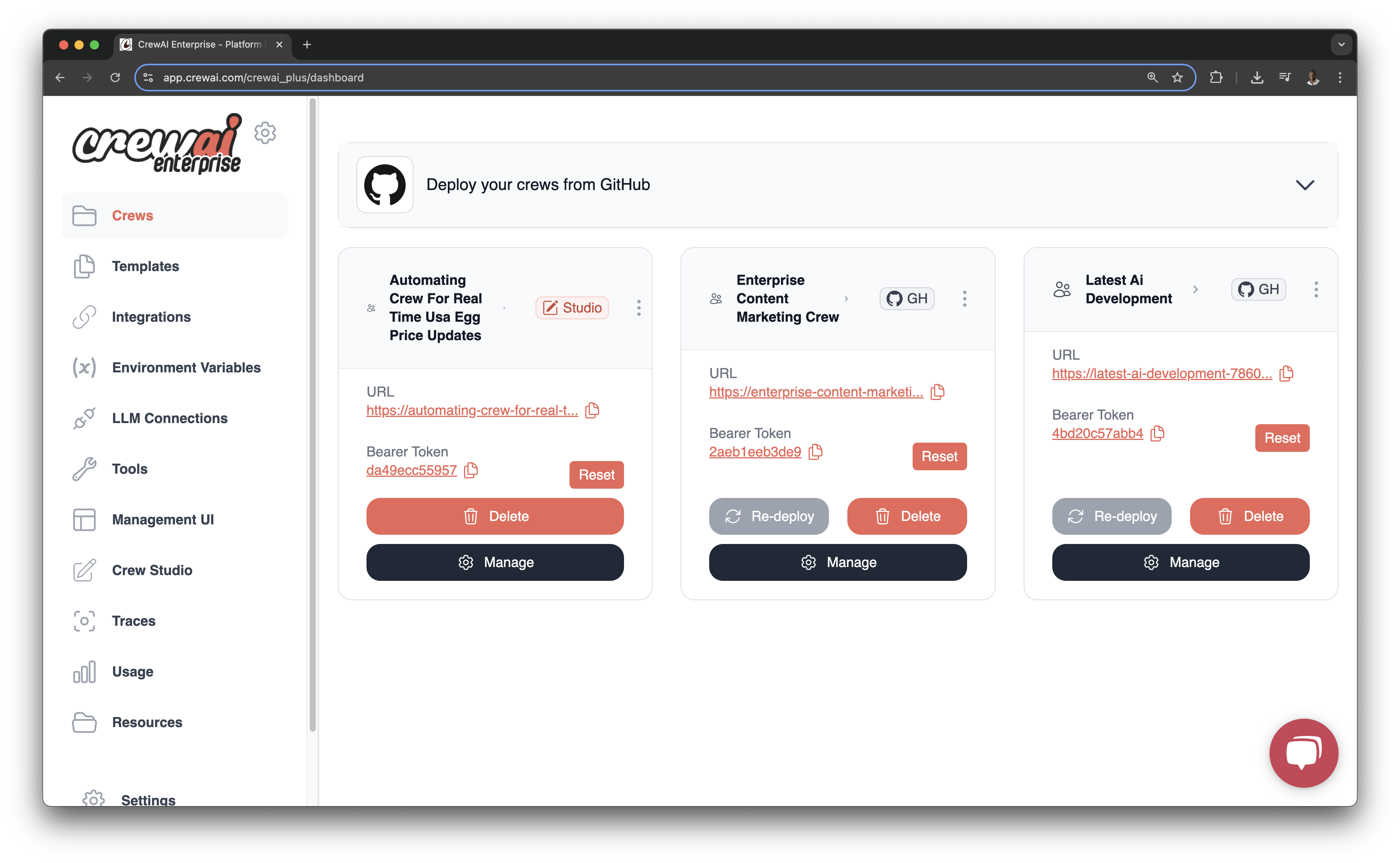
CrewAI AMP extends the power of the open-source framework with features designed for production deployments, collaboration, and scalability. Deploy your crews to a managed infrastructure and monitor their execution in real-time.
Key Features#
<span class=“card-start” data-card-raw=“title=“Crew Deployments” icon=“rocket”"> Deploy your crews to a managed infrastructure with a few clicks
<span class=“card-start” data-card-raw=“title=“API Access” icon=“code”"> Access your deployed crews via REST API for integration with existing systems
<span class=“card-start” data-card-raw=“title=“Observability” icon=“chart-line”"> Monitor your crews with detailed execution traces and logs
<span class=“card-start” data-card-raw=“title=“Tool Repository” icon=“toolbox”"> Publish and install tools to enhance your crews’ capabilities
<span class=“card-start” data-card-raw=“title=“Webhook Streaming” icon=“webhook”"> Stream real-time events and updates to your systems
<span class=“card-start” data-card-raw=“title=“Crew Studio” icon=“paintbrush”"> Create and customize crews using a no-code/low-code interface
Deployment Options#
<span class=“card-start” data-card-raw=“title=“GitHub Integration” icon=“github”"> Connect directly to your GitHub repositories to deploy code
<span class=“card-start” data-card-raw=“title=“Crew Studio” icon=“palette”"> Deploy crews created through the no-code Crew Studio interface
<span class=“card-start” data-card-raw=“title=“CLI Deployment” icon=“terminal”"> Use the CrewAI CLI for more advanced deployment workflows
Getting Started#
Create your account at app.crewai.com
Sign Up
Use code or Crew Studio to build your crew
Build Crew
Deploy your crew to the Enterprise platform
Deploy Crew
Integrate with your crew via the generated API endpoints
Use the Crew API
For detailed instructions, check out our deployment guide or click the button below to get started.