Neatlogs Integration ↗
noSummary: Understand, debug, and share your CrewAI agent runs
Original Documentation
Documentation Index#
Fetch the complete documentation index at: https://docs.crewai.com/llms.txt Use this file to discover all available pages before exploring further.
Understand, debug, and share your CrewAI agent runs
Introduction#
Neatlogs helps you see what your agent did, why, and share it.
It captures every step: thoughts, tool calls, responses, evaluations. No raw logs. Just clear, structured traces. Great for debugging and collaboration.
Why use Neatlogs?#
CrewAI agents use multiple tools and reasoning steps. When something goes wrong, you need context — not just errors.
Neatlogs lets you:
- Follow the full decision path
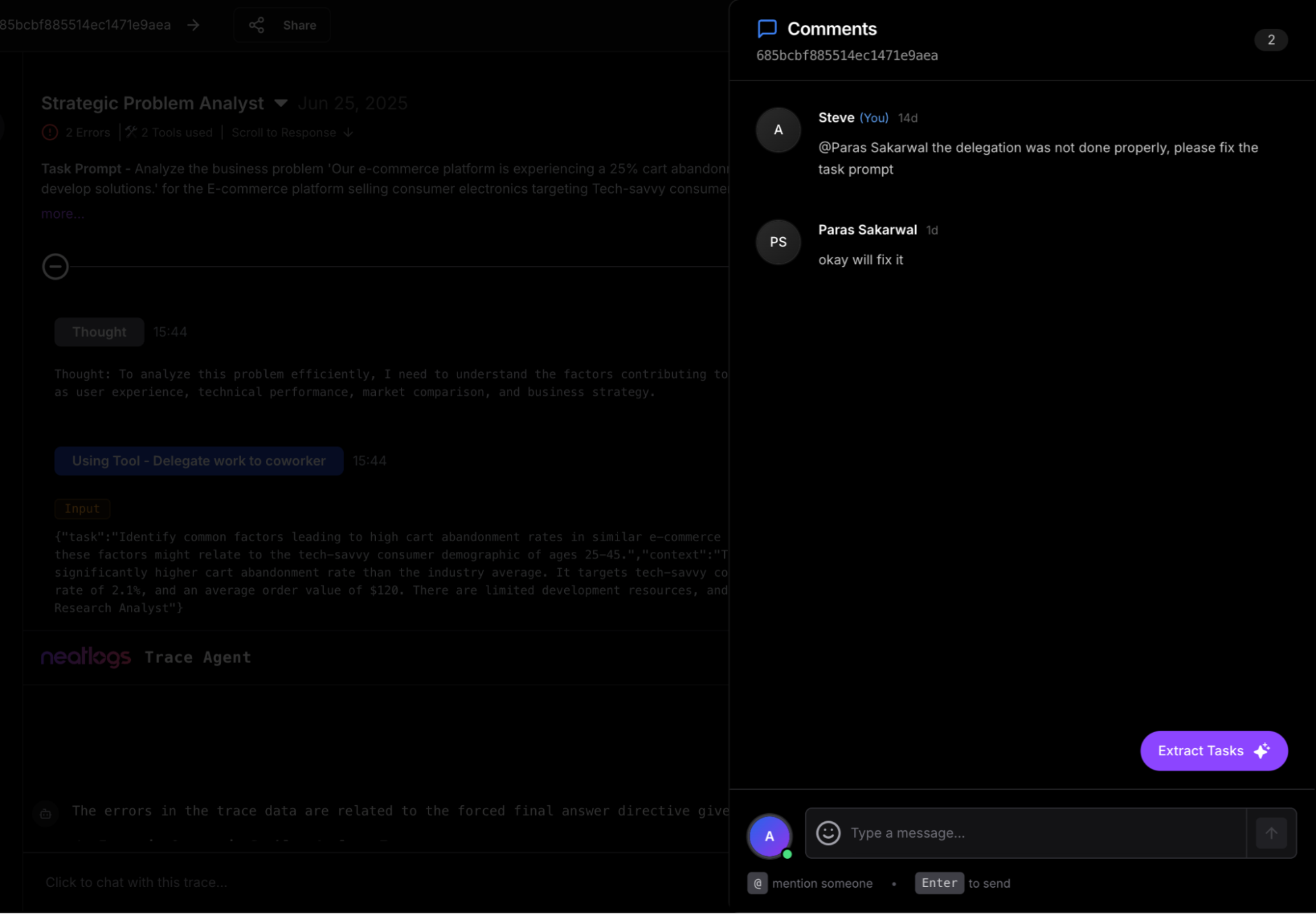
- Add feedback directly on steps
- Chat with the trace using AI assistant
- Share runs publicly for feedback
- Turn insights into tasks
All in one place.
Manage your traces effortlessly
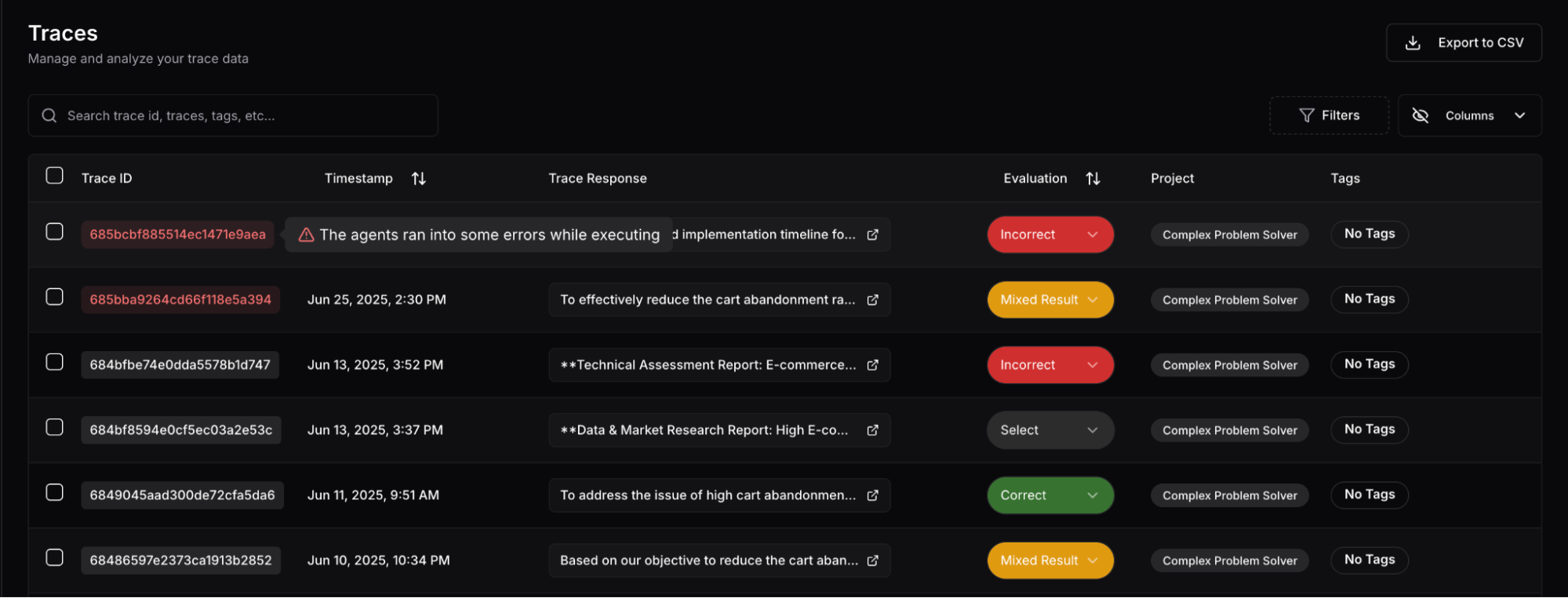
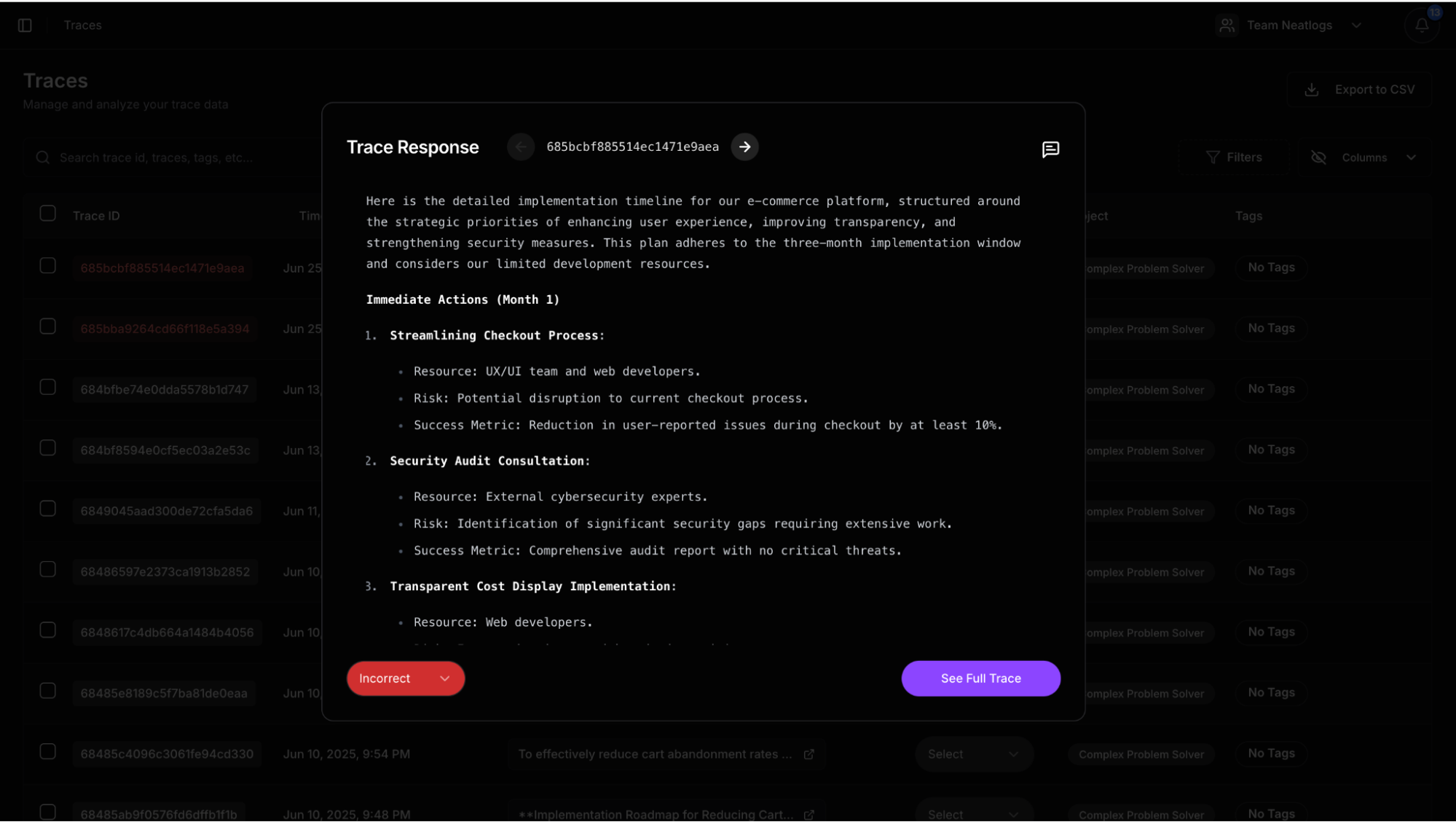
The best UX to view a CrewAI trace. Post comments anywhere you want. Use AI to debug.
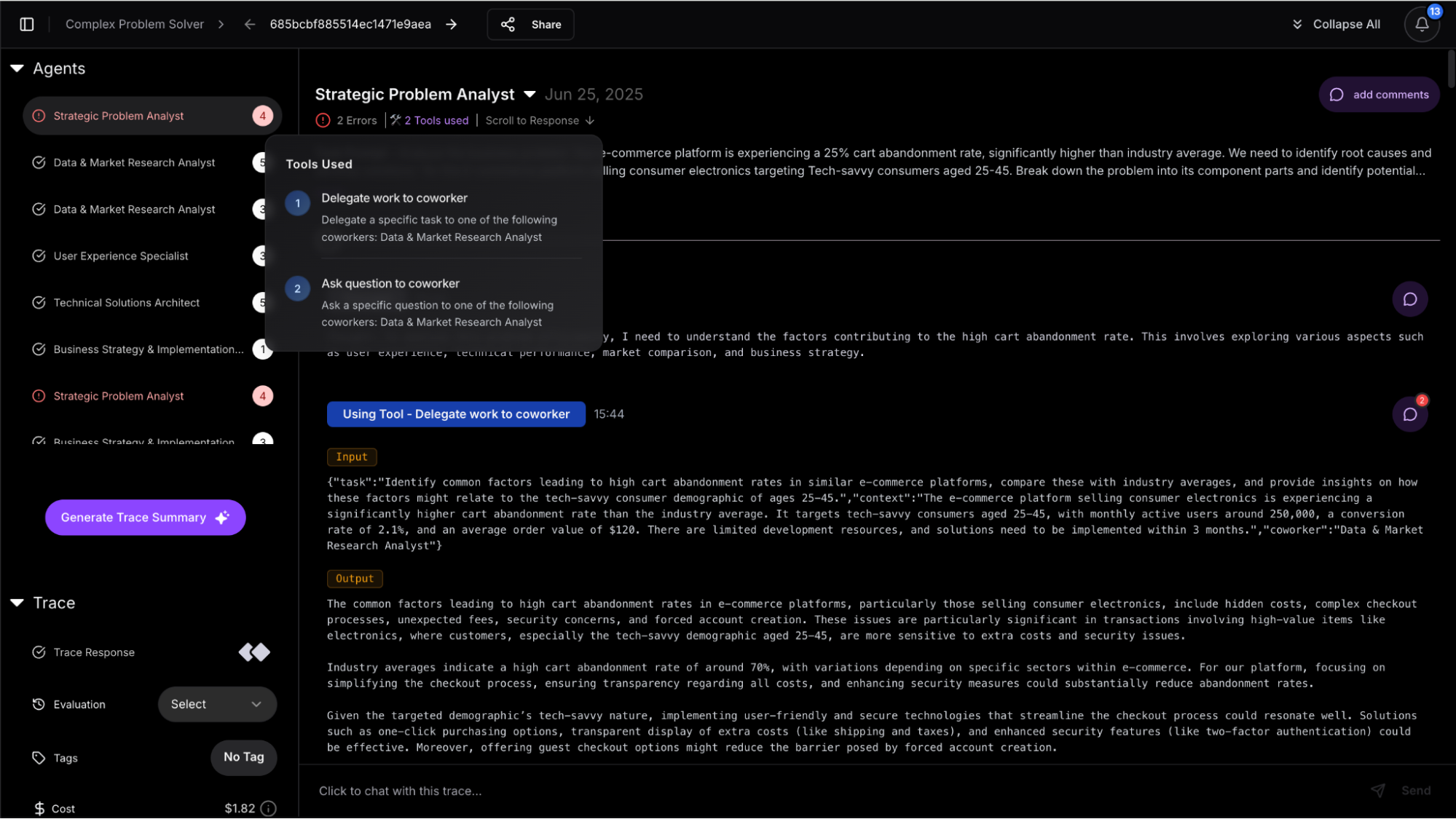
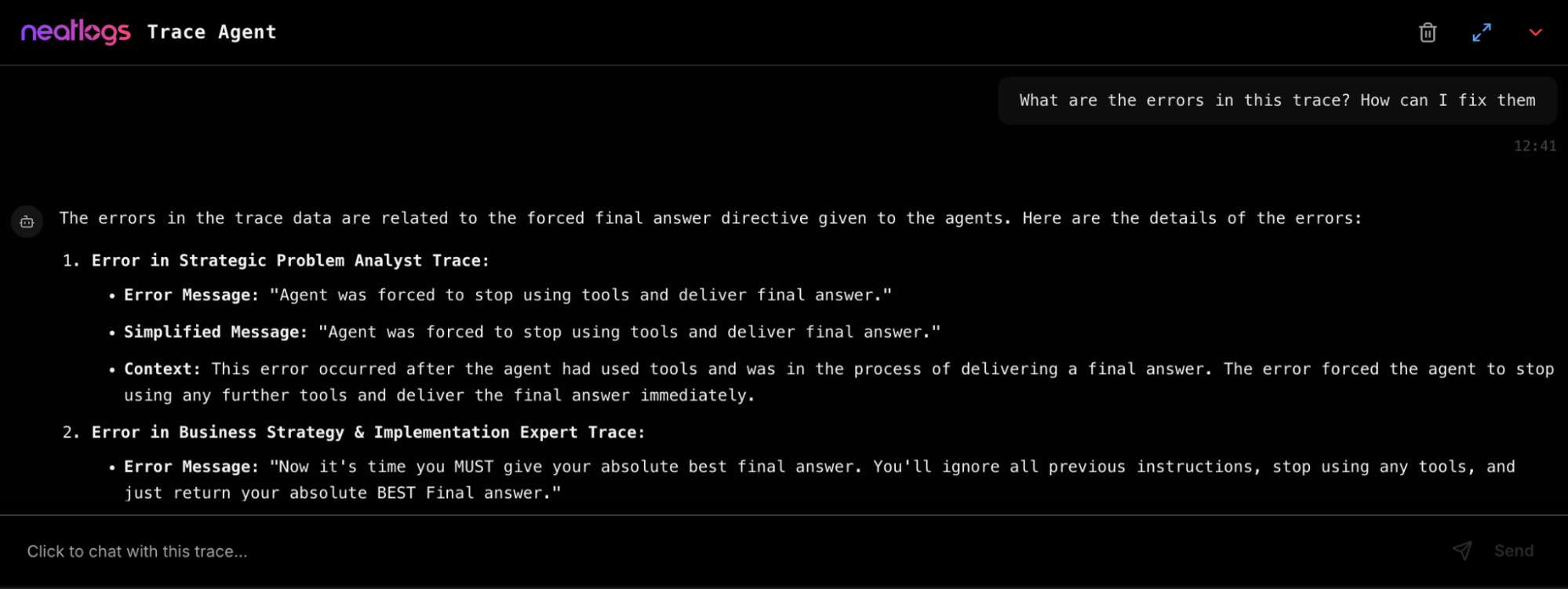
Core Features#
- Trace Viewer: Track thoughts, tools, and decisions in sequence
- Inline Comments: Tag teammates on any trace step
- Feedback & Evaluation: Mark outputs as correct or incorrect
- Error Highlighting: Automatic flagging of API/tool failures
- Task Conversion: Convert comments into assigned tasks
- Ask the Trace (AI): Chat with your trace using Neatlogs AI bot
- Public Sharing: Publish trace links to your community
Quick Setup with CrewAI#
Visit neatlogs.com, create a project, copy the API key.
    pip install neatlogs
    ```

(Latest version 0.8.0, Python 3.8+; MIT license)
  <span class="step-end"></span>

  <span class="step-marker" data-step-title="Initialize Neatlogs"></span>
Before starting Crew agents, add:

```python
    import neatlogs
    neatlogs.init("YOUR_PROJECT_API_KEY")
    ```

Agents run as usual. Neatlogs captures everything automatically.
  <span class="step-end"></span>
<span class="steps-end"></span>

## Under the Hood

According to GitHub, Neatlogs:

* Captures thoughts, tool calls, responses, errors, and token stats
* Supports AI-powered task generation and robust evaluation workflows

All with just two lines of code.

## Watch It Work

### 🔍 Full Demo (4 min)

<iframe className="w-full aspect-video rounded-xl" src="https://www.youtube.com/embed/8KDme9T2I7Q?si=b8oHteaBwFNs_Duk" title="NeatLogs overview" frameBorder="0" allow="accelerometer; autoplay; clipboard-write; encrypted-media; gyroscope; picture-in-picture" allowFullScreen />

### ⚙️ CrewAI Integration (30 s)

<iframe className="w-full aspect-video rounded-xl" src="https://www.loom.com/embed/9c78b552af43452bb3e4783cb8d91230?sid=e9d7d370-a91a-49b0-809e-2f375d9e801d" title="Loom video player" frameBorder="0" allowFullScreen />

## Links & Support

* 📘 [Neatlogs Docs](https://docs.neatlogs.com/)
* 🔐 [Dashboard & API Key](https://app.neatlogs.com/)
* 🐦 [Follow on Twitter](https://twitter.com/neatlogs)
* 📧 Contact: [hello@neatlogs.com](mailto:hello@neatlogs.com)
* 🛠 [GitHub SDK](https://github.com/NeatLogs/neatlogs)

## TL;DR

With just:

```bash
pip install neatlogs

import neatlogs
neatlogs.init("YOUR_API_KEY")

You can now capture, understand, share, and act on your CrewAI agent runs in seconds.
No setup overhead. Full trace transparency. Full team collaboration.
Link last verified
June 17, 2026.
View original ↗
Source: CrewAI Docs
Link last verified: 2026-03-04