GitHub Copilot ↗
noOriginal Documentation
Documentation Index#
Fetch the complete documentation index at: https://docs.fireworks.ai/llms.txt Use this file to discover all available pages before exploring further.
Use Fireworks AI models in GitHub Copilot Chat via a custom endpoint
Use Fireworks AI models in GitHub Copilot Chat by adding a Custom Endpoint in VS Code (or other hosts that support Copilot custom models).
Fireworks offers 200+ models—copy the model id and token limits from the Model Library. Use endpoint URL https://api.fireworks.ai/inference/v1.
Prerequisites#
- A Fireworks API key
- GitHub Copilot with access to Other Models and Custom Endpoint (availability depends on your Copilot plan)
Setup#
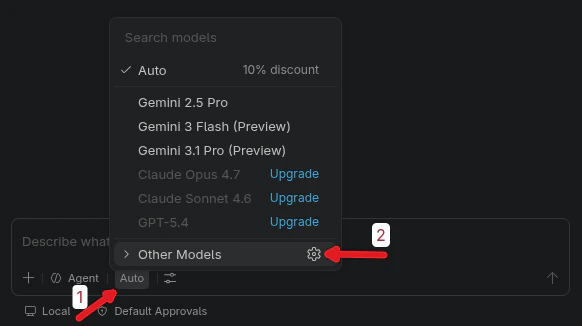
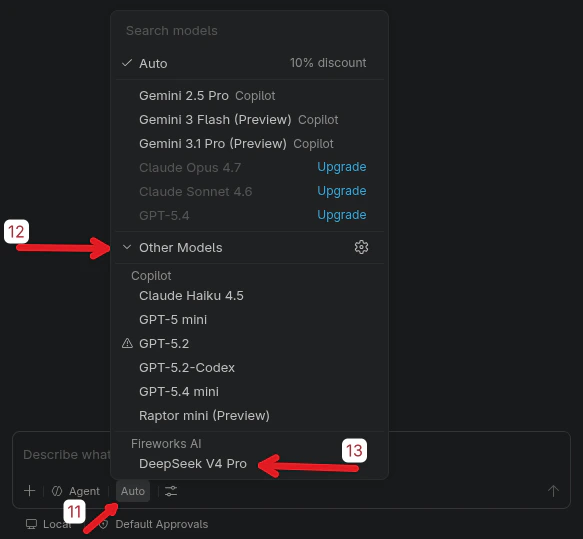
In Copilot Chat, click the active model name at the bottom (often Auto). In the menu, click the gear icon next to Other Models.
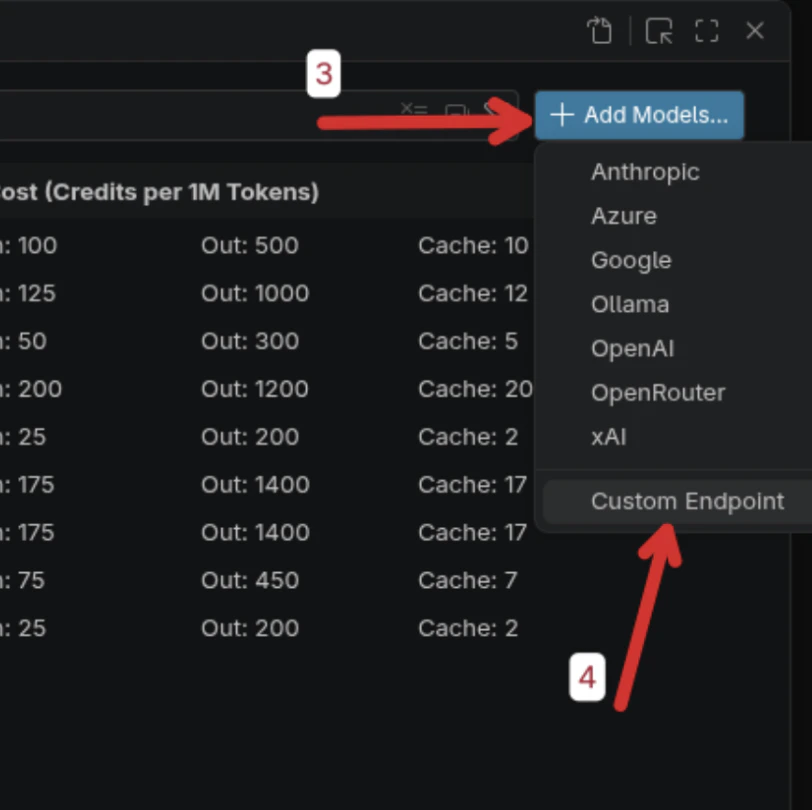
In Language Models, click + Add Models… in the top right, then choose Custom Endpoint.
Enter Fireworks AI as the group name and press Enter.

Paste your Fireworks API key (hidden by default) and press Enter to confirm.

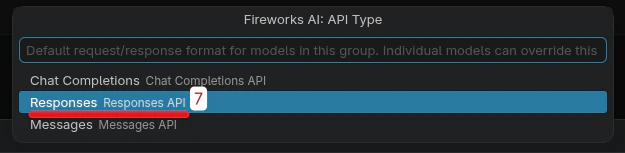
When asked for the default request/response format, select Responses API.
A configuration file opens. Do not change the auto-generated header at the top—only fill in the model template below it.
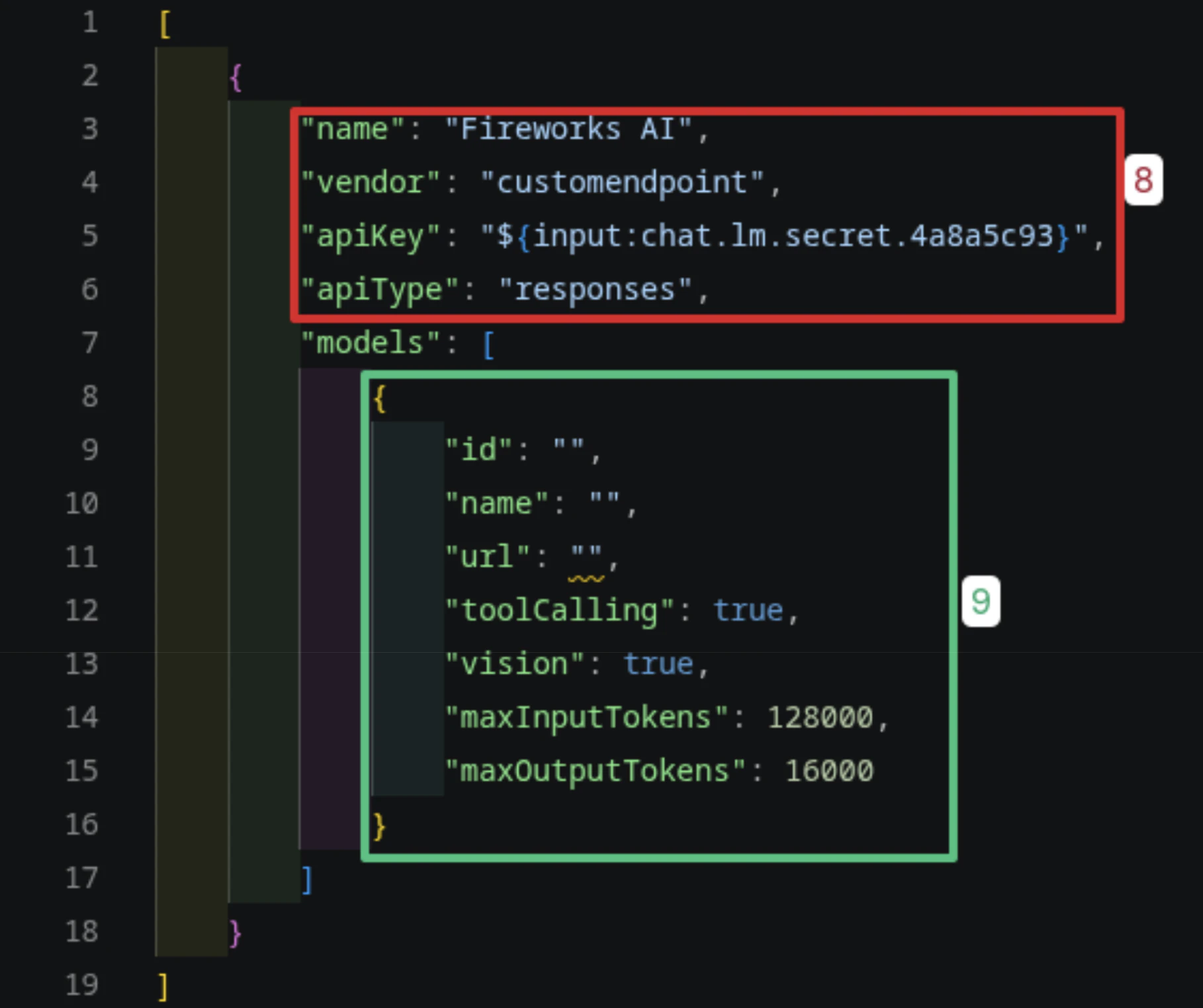
Fill in your model fields, then save (Ctrl+S on Windows/Linux, Cmd+S on macOS) and close the settings modal.
Example for DeepSeek V4 Pro:
| Field | Value |
|---|---|
| id | accounts/fireworks/models/deepseek-v4-pro |
| name | DeepSeek V4 Pro |
| url | https://api.fireworks.ai/inference/v1 |
| toolCalling | true |
| vision | false |
| maxInputTokens | 1000000 |
| maxOutputTokens | 384000 |
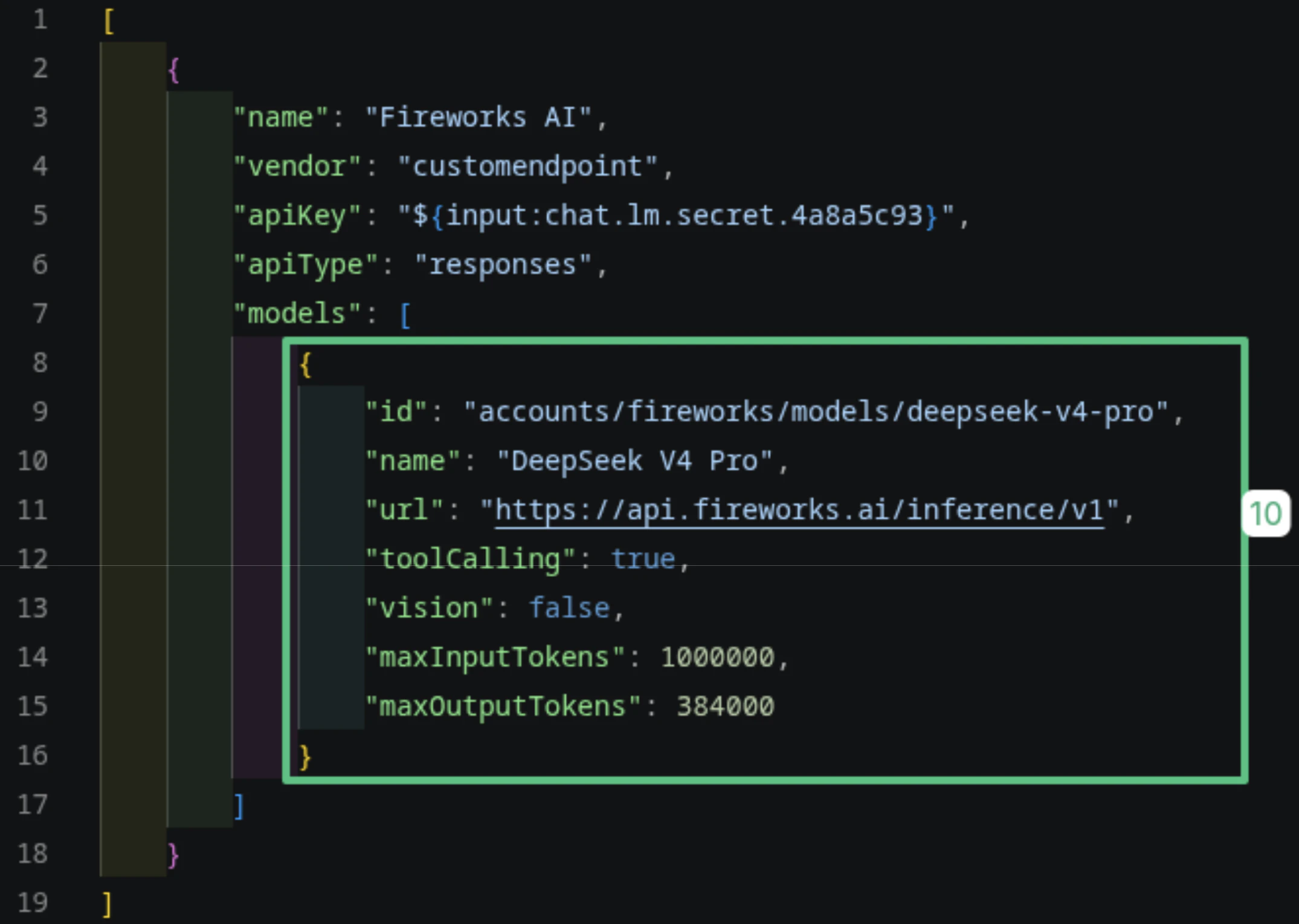
Use the exact model id and token limits from the model page in the Model Library. Values differ per model.
Return to Copilot Chat, open the model picker (Auto), expand Other Models, and choose your model under Fireworks AI.
Related#
- Claude Code — use Fireworks models with Claude Code
- Development Setup with Fireworks Docs MCP — add Fireworks docs to your coding agent