View server logs for a trace ↗
noOriginal Documentation
Documentation Index#
Fetch the complete documentation index at: https://docs.langchain.com/llms.txt Use this file to discover all available pages before exploring further.
When viewing a trace that was generated by a run in LangSmith, you can access the associated server logs directly from the trace view.
Viewing server logs for a trace only works with the Cloud SaaS and fully self-hosted deployment options.
Access server logs from trace view#
In the trace view, use the See Logs button in the top right corner, next to the Run in Studio button.
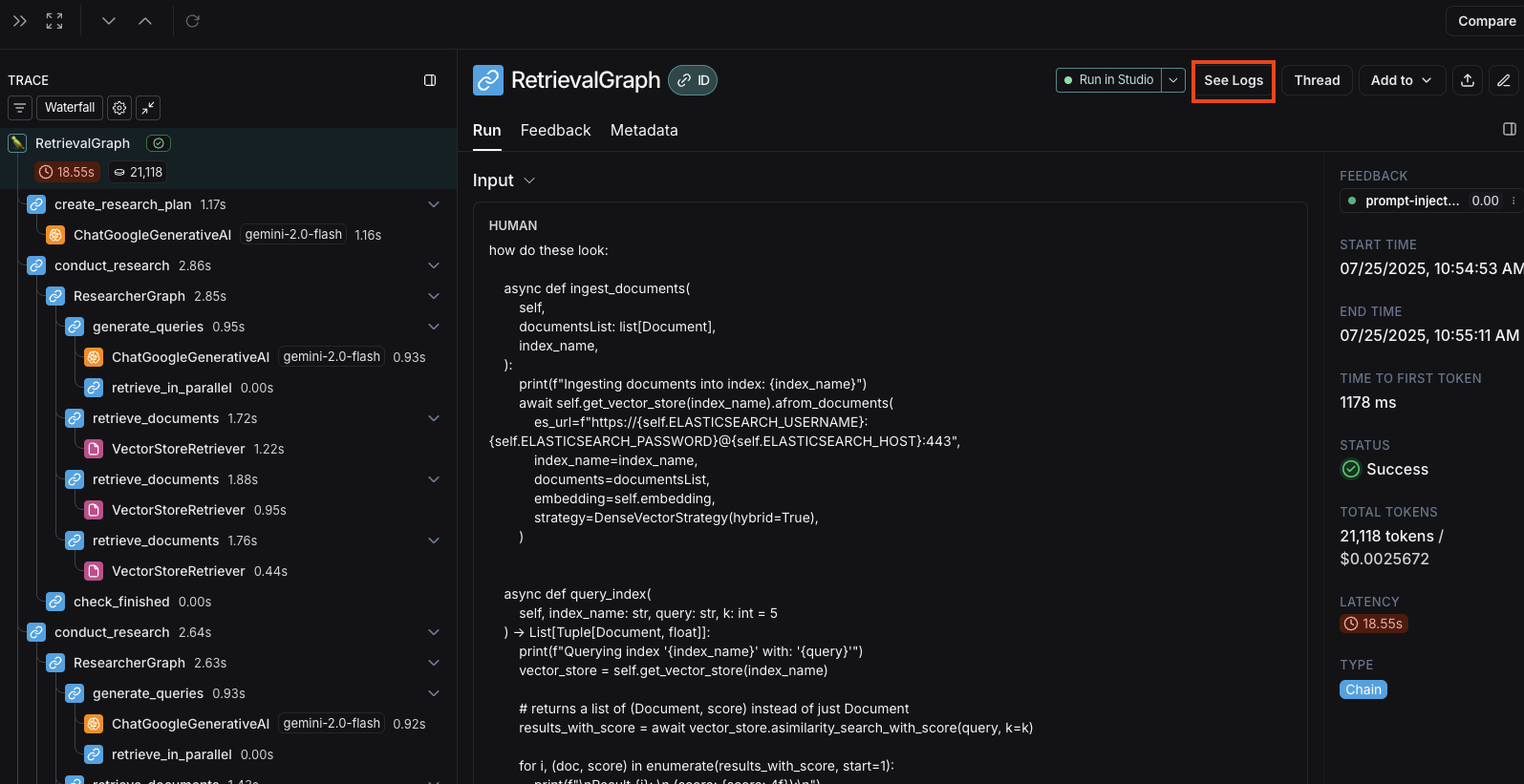
Clicking this button will take you to the server logs view for the associated deployment in LangSmith.
Server logs view#
The server logs view displays logs from both:
- Agent Server’s own operational logs - Internal server operations, API calls, and system events
- User application logs - Logs written in your graph with:
- Python: Use the
loggingorstructloglibraries - JavaScript: Use the re-exported Winston logger from
@langchain/langgraph-sdk/logging:
- Python: Use the
const logger = getLogger();
logger.info("Your log message");
Filtering logs by trace ID#
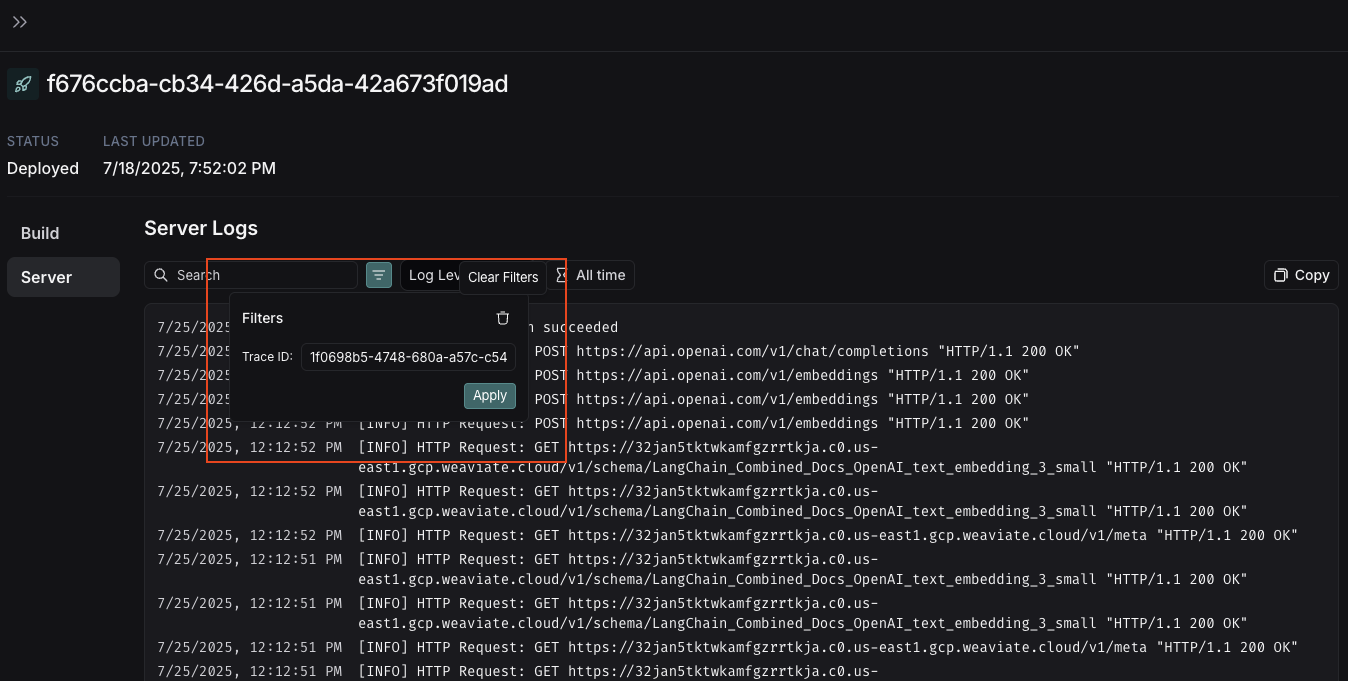
When you navigate from the trace view, the Filters box will automatically pre-fill with the Trace ID from the trace you just viewed.
This allows you to quickly filter the logs to see only those related to your specific trace execution.
Edit this page on GitHub or file an issue.
Connect these docs to Claude, VSCode, and more via MCP for real-time answers.