How to use OpenCode with Together AI to build faster ↗
noOriginal Documentation
Documentation Index#
Fetch the complete documentation index at: https://docs.together.ai/llms.txt Use this file to discover all available pages before exploring further.
Learn how to combine OpenCode, a powerful terminal-based AI coding agent, with Together AI models like DeepSeek V3 to supercharge your development workflow.
How to use OpenCode with Together AI to build faster#
OpenCode is a powerful AI coding agent built specifically for the terminal, offering a native TUI experience with LSP support and multi-session capabilities. In this guide, we’ll show you how to combine OpenCode with powerful open source models on Together AI like DeepSeek V3 and DeepSeek R1 to supercharge your development workflow directly from your terminal.
With OpenCode’s agent, you can ask it to build features, fix bugs, explain codebases, and start new projects – all while maintaining full transparency in terms of cost and token usage. Here’s how you can start using it with Together AI’s models:
1. Install OpenCode#
Install OpenCode directly from your terminal with a single command:
curl -fsSL https://opencode.ai/install | bashThis will install OpenCode and make it available system-wide.
2. Launch OpenCode#
Navigate to your project directory and launch OpenCode:
cd your-project
opencode
OpenCode will start with its native terminal UI interface, automatically detecting and loading the appropriate Language Server Protocol (LSP) for your project.
3. Configure Together AI#
When you first run OpenCode, you’ll need to configure it to use Together AI as your model provider. Follow these steps:
- Set up your API provider: Configure OpenCode to use Together AI
- opencode auth login
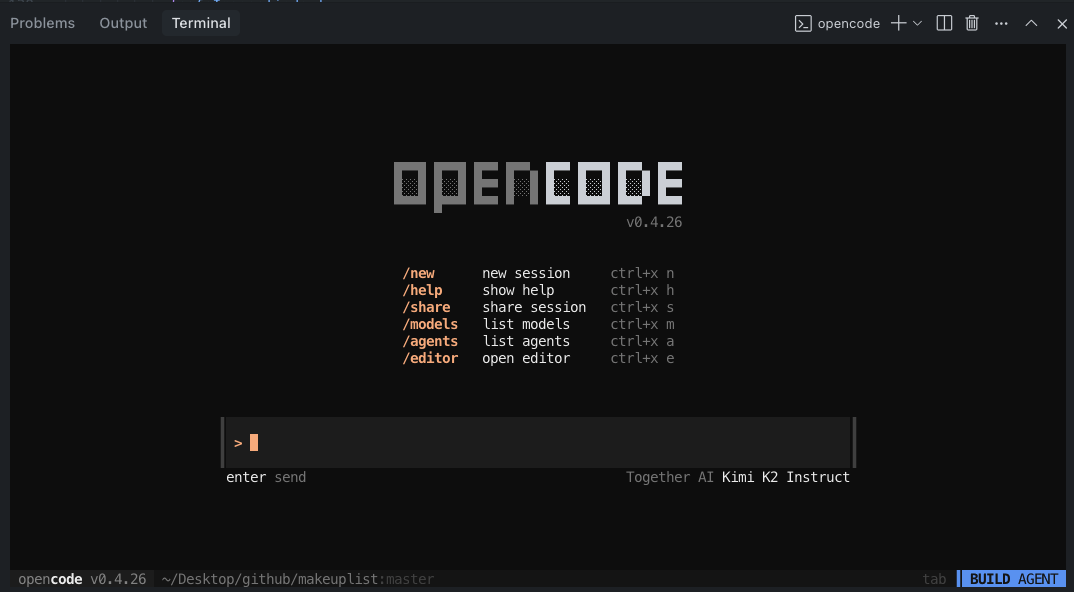
To find the Together AI provider you will need to scroll the provider list of simply type together
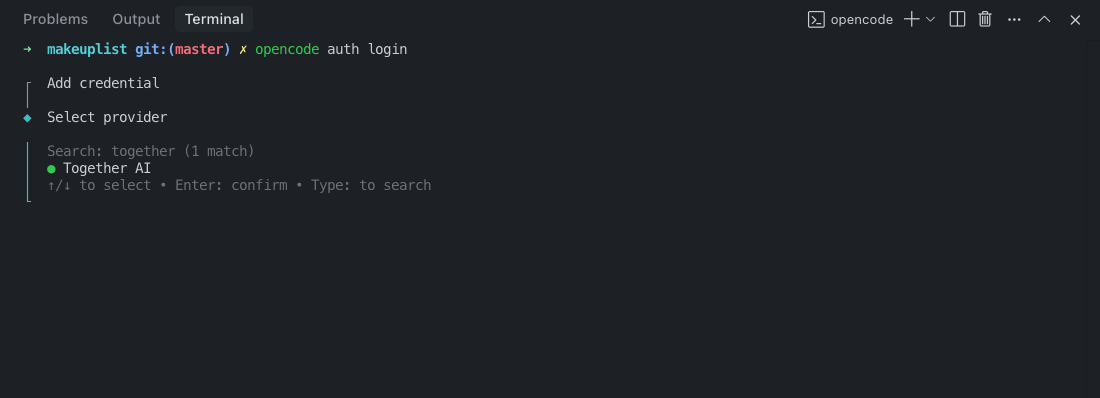
- Add your API key: Get your Together AI API key and paste it into the opencode terminal
- Select a model: Choose from powerful models like:
deepseek-ai/DeepSeek-V3- Excellent for general coding tasksdeepseek-ai/DeepSeek-R1- Advanced reasoning capabilitiesmeta-llama/Llama-3.3-70B-Instruct-Turbo- Fast and efficientQwen/Qwen3-Coder-480B-A35B-Instruct-FP8- Specialized coding model
4. Bonus: install the opencode vs-code extension#
For developers who prefer working within VS Code, OpenCode offers a dedicated extension that integrates seamlessly into your IDE workflow while still leveraging the power of the terminal-based agent.
Install the extension: Search for “opencode” in the VS Code Extensions Marketplace or directly use this link:
Key Features & Usage#
Native Terminal Experience#
OpenCode provides a responsive, native terminal UI that’s fully themeable and integrated into your command-line workflow.
Plan Mode vs Build Mode#
Switch between modes using the Tab key:
- Plan Mode: Ask OpenCode to create implementation plans without making changes
- Build Mode: Let OpenCode directly implement features and make code changes
File References with Fuzzy Search#
Use the @ key to fuzzy search and reference files in your project:
How is authentication handled in @packages/functions/src/api/index.tsBest Practices#
Give Detailed Context#
Talk to OpenCode like you’re talking to a junior developer:
When a user deletes a note, flag it as deleted in the database instead of removing it.
Then create a "Recently Deleted" screen where users can restore or permanently delete notes.
Use the same design patterns as our existing settings page.
Use Examples and References#
Provide plenty of context and examples:
Add error handling to the API similar to how it's done in @src/utils/errorHandler.jsIterate on Plans#
In Plan Mode, review and refine the approach before implementation:
That looks good, but let's also add input validation and rate limitingModel Recommendations#
- DeepSeek V3 (
deepseek-ai/DeepSeek-V3): $1.25 per million tokens, excellent balance of performance and cost - DeepSeek R1 (
deepseek-ai/DeepSeek-R1): $3.00-$7.00 per million tokens, advanced reasoning for complex problems - Llama 3.3 70B (
meta-llama/Llama-3.3-70B-Instruct-Turbo): $0.88 per million tokens, fast and cost-effective
Getting Started#
- Install OpenCode:
curl -fsSL https://opencode.ai/install | bash - Navigate to your project:
cd your-project - Launch OpenCode:
opencode - Configure Together AI with your API key
- Start building faster with AI assistance!
That’s it! You now have one of the most powerful terminal-based AI coding agents running with fast, secure, and private open source models hosted on Together AI. OpenCode’s native terminal interface combined with Together AI’s powerful models will transform your development workflow.