Inference Rate Limits ↗
noOriginal Documentation
Documentation Index#
Fetch the complete documentation index at: https://docs.together.ai/llms.txt Use this file to discover all available pages before exploring further.
Rate limits restrict how often a user or client can access our API within a set timeframe.
Rate limits in APIs are a standard approach, and they serve to safeguard against abuse or misuse of the API, helping to ensure equitable access to the API with consistent performance. Rate limits are denoted as HTTP status code 429. Rate Limits represent the maximum “up to” capacity a user is entitled to, which is ultimately driven by our available serverless capacity.
How We Measure Rate limits#
We measure rate limits in seconds, but display them in minutes to align with common industry conventions. For example, if your rate limit advertised is 60 Requests per Minute (RPM). Then we limit requests over 1 Request per Second (RPS) internally.
Fetching Latest Serverless Rate Limits#
Every serverless inference API request includes response headers that report the latest rate limits for the model, including current usage and reset timing. Rate Limits are model specific.
We recommend planning your workload according to the latest ratelimits specified in the following response headers:
| Field | Description |
|---|---|
| x-ratelimit-limit | The maximum number of requests per sec that are permitted before exhausting the rate limit. |
| x-ratelimit-remaining | The remaining number of requests per sec that are permitted before exhausting the rate limit. |
| x-ratelimit-reset | The time until the rate limit (based on requests per sec) resets to its initial state. |
| x-tokenlimit-limit | The maximum number of tokens per sec that are permitted before exhausting the rate limit. |
| x-tokenlimit-remaining | The remaining number of tokens per sec that are permitted before exhausting the rate limit. |
| x-ratelimit-limit-dynamic | The maximum number of requests per sec that are permitted before exhausting the dynamic rate limit. |
| x-ratelimit-remaining-dynamic | The remaining number of requests per sec that are permitted before exhausting the rate limit. |
| x-tokenlimit-limit-dynamic | The maximum number of tokens per sec that are permitted before exhausting the dynamic rate limit. |
| x-tokenlimit-remaining-dynamic | The remaining number of tokens per sec that are permitted before exhausting the dynamic rate limit. |
Alternatives for High Volume or Bursty Workloads#
If your workload requires higher rate limits or has huge bursts of traffic, we strongly recommend considering:
- batch-inference: for high volume of requests/tokens but when completing them is not time sensitive. Pay for what you use with discounts applied for most models.
- dedicated-inference: predictable capacity that you can control when workloads requires strict SLAs.
Best Practice#
To maximize successful requests for serverless models:
- Stay within your rate limit.
- Prefer steady, consistent traffic and avoid bursts.
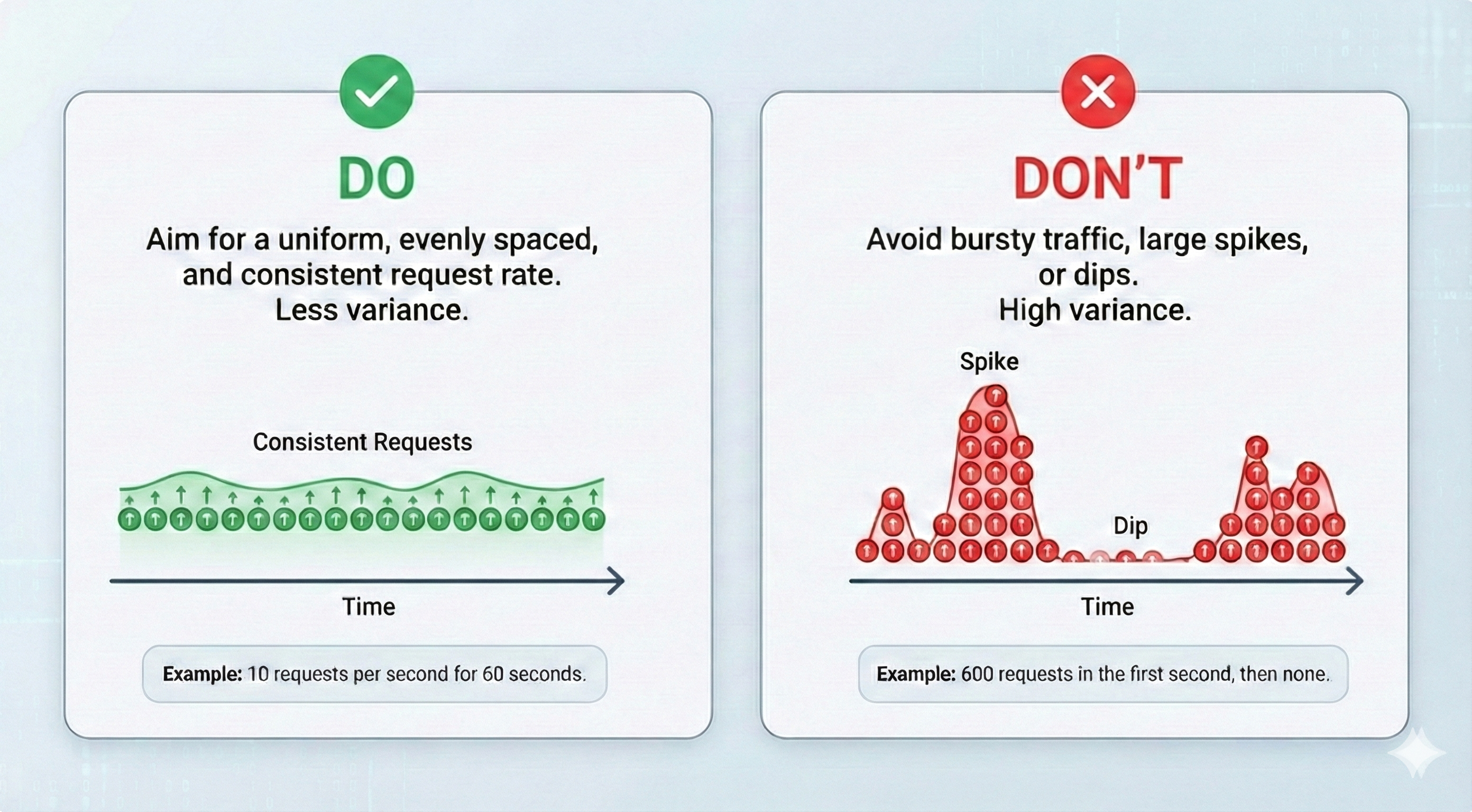
For example, if your limit is 60 RPM, it’s strongly recommended to send traffic steadily—about 1 RPS for 60 seconds—rather than sending 60 concurrent RPS in a single second.
In general, the more requests you concentrate into a short window (e.g., within one second), the more bursty your traffic is. We make a best-effort attempt to serve bursty traffic, since we understand users’ urgency. However, success ultimately depends on the overall real-time load and available capacity for the target model at that moment.
Dynamic Rate Limits#
We will be rolling out dynamic rate limits to all new users after 26th January 2026 PST. This is our approach to adapt rate limits based on live capacity of the model, and your past usage patterns. Our goal is to make this experience as good as, or better than what you have today, by enabling higher sustained request volumes for serverless models over time.
If a burst still results in failed requests despite these protections, we apply response attribution using an Dynamic Rate threshold.
Dynamic Rate#
We track a Dynamic Rate per user and per model:
Dynamic Rate ≈ 2 × past_hour_successful_request_rate
We constrain Dynamic Rate as:
base_rate ≤ dynamic_rate ≤ cap_rate
- Default
base_rateis 60 RPM.
Behavior during burst failures#
When bursty requests fail:
- Requests at or below your Dynamic Rate (≤ Dynamic Rate) receive 503: Service Unavailable.
These failures are attributed to platform capacity under burst conditions — we take responsibility. - Requests above your Dynamic Rate (> Dynamic Rate) receive 429: Too Many Requests, with:
error_type: "dynamic_request_limited"(request-based limiting), orerror_type: "dynamic_token_limited"(token-based limiting)
Recommendation#
We strongly recommend avoiding bursty traffic for serverless models. Please consider batch or dedicated inference for this. If your traffic spikes to roughly 2× (or more) of what you’ve successfully sustained over the past hour, we cannot guarantee capacity.
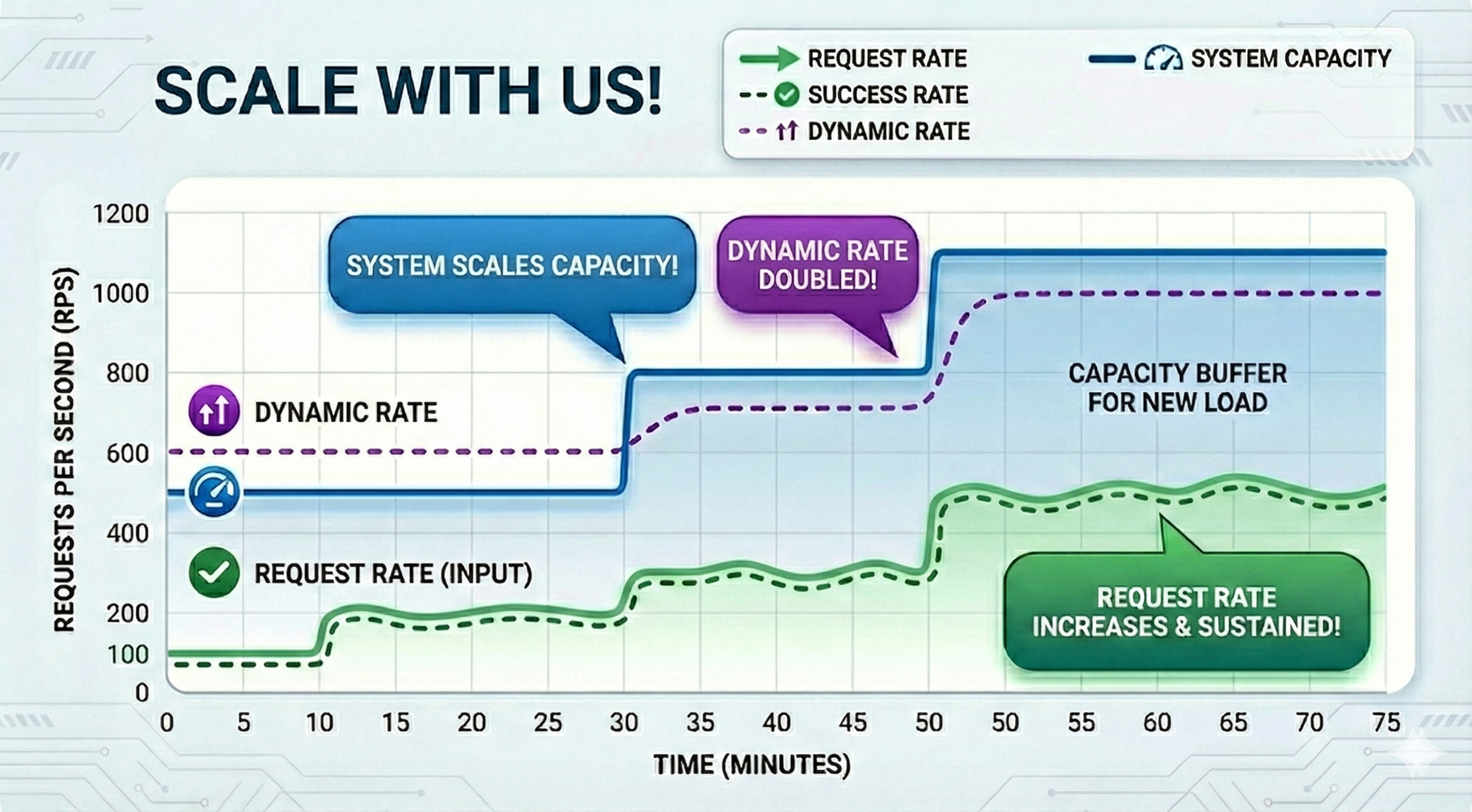
Steady, sustained traffic helps the system scale capacity over time. As your request rate increases gradually and stays consistent, your success rate improves, which increases your Dynamic Rate (the burst cushion based on recent successful usage). The platform then ramps up system capacity to match the new steady load, leaving a capacity buffer that makes subsequent bursts more likely to succeed.
A Virtuous Cycle: Consistency Builds Capacity#
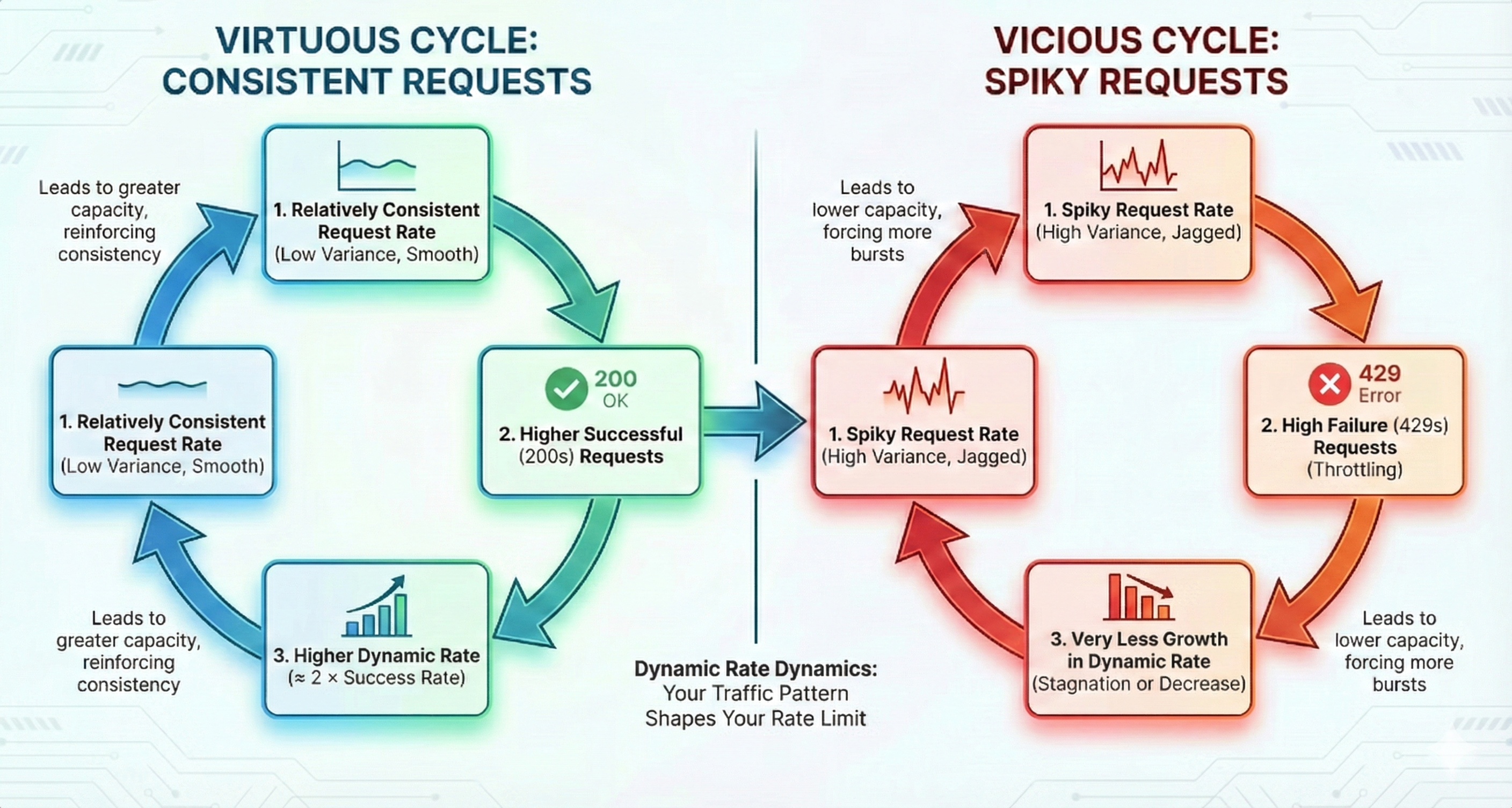
If you send steady, sustained traffic, it’s easier for us to predict demand and scale capacity in time. Over time, this typically improves your success rate, which in turn can increase your Dynamic Rate—allowing you to send higher traffic with a higher likelihood of success.