YOLOX ↗
noOriginal Documentation
Documentation Index#
Fetch the complete documentation index at: https://docs.wandb.ai/llms.txt Use this file to discover all available pages before exploring further.
How to integrate W&B with YOLOX.
YOLOX is an anchor-free version of YOLO with strong performance for object detection. You can use the YOLOX W&B integration to turn on logging of metrics related to training, validation, and the system, and you can interactively validate predictions with a single command-line argument.
Sign up and create an API key#
An API key authenticates your machine to W&B. You can generate an API key from your user profile.
For a more streamlined approach, create an API key by going directly to User Settings. Copy the newly created API key immediately and save it in a secure location such as a password manager.
- Click your user profile icon in the upper right corner.
- Select User Settings, then scroll to the API Keys section.
Install the wandb library and log in#
To install the wandb library locally and log in:
Set the
WANDB_API_KEYenvironment variable to your API key.export WANDB_API_KEY=<your_api_key> ```Install the
wandblibrary and log in.pip install wandb wandb login ```
    pip install wandb
    ```

```python
    import wandb
    wandb.login()
    ```
  <span class="tab-end"></span>

  <span class="tab-start" data-tab-title="Python notebook"></span>
```notebook
    !pip install wandb

    import wandb
    wandb.login()
    ```
  <span class="tab-end"></span>
<span class="tab-group-end"></span>

## Log metrics

Use the `--logger wandb` command line argument to turn on logging with wandb. Optionally you can also pass all of the arguments that [`wandb.init()`](/models/ref/python/functions/init) expects; prepend each argument with `wandb-`.

`num_eval_imges` controls the number of validation set images and predictions that are  logged to W\&B tables for model evaluation.

```shell
# login to wandb
wandb login

# call your yolox training script with the `wandb` logger argument
python tools/train.py .... --logger wandb \
                wandb-project <project-name> \
                wandb-entity <entity>
                wandb-name <run-name> \
                wandb-id <run-id> \
                wandb-save_dir <save-dir> \
                wandb-num_eval_imges <num-images> \
wandb-log_checkpoints <bool>Example#
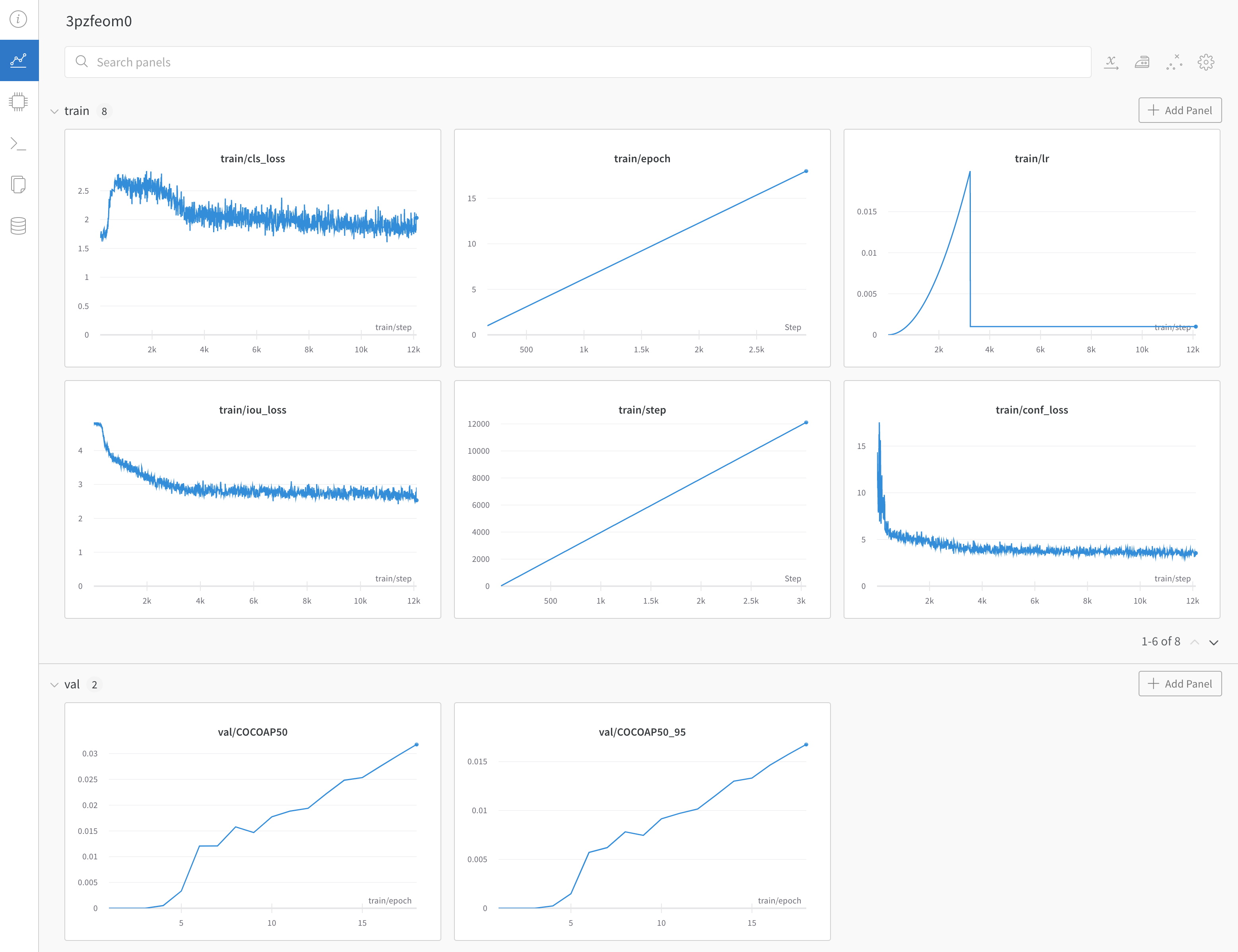
Example dashboard with YOLOX training and validation metrics ->
Any questions or issues about this W&B integration? Open an issue in the YOLOX repository.